
Sales and profit
Sales₹0
SalesMoney receivedProfitNet profit
Billing app for fertiliser, seed and pesticide shops
Make a bill, and the customer's dues and your stock are updated by themselves. Pick a product, and its HSN and GST fill in for you. Send the finished bill to the customer on WhatsApp.


 Part of the Krushi Saarthi family
A day at the shop
See a full day at an agro centre. The names and amounts are only examples.
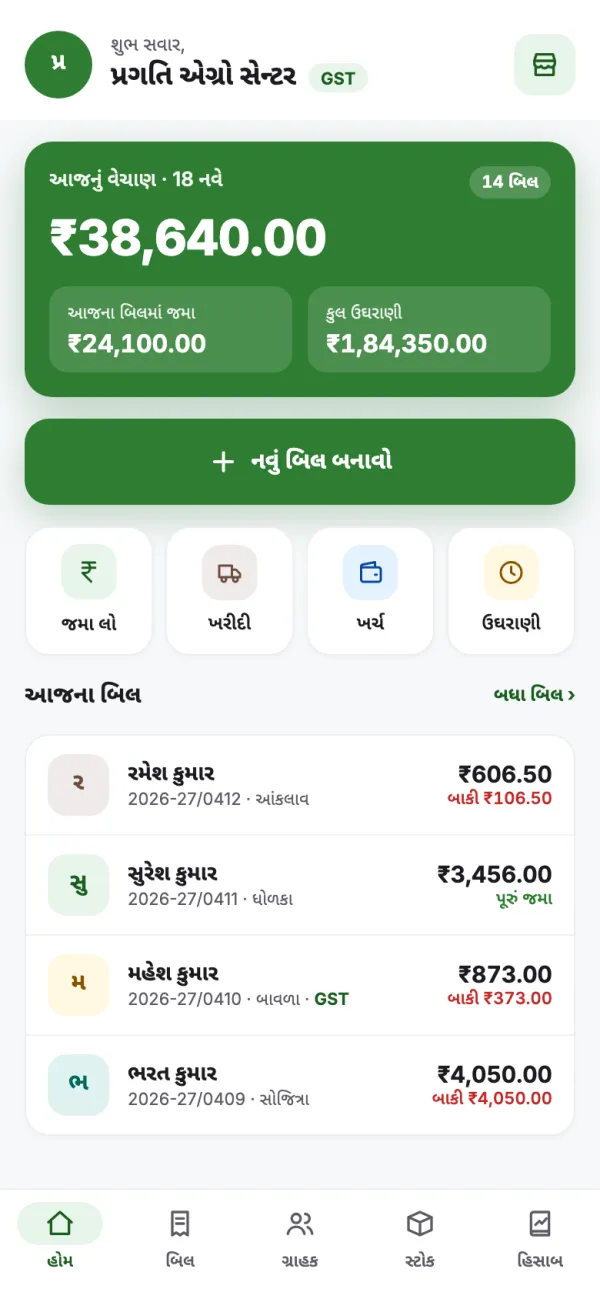
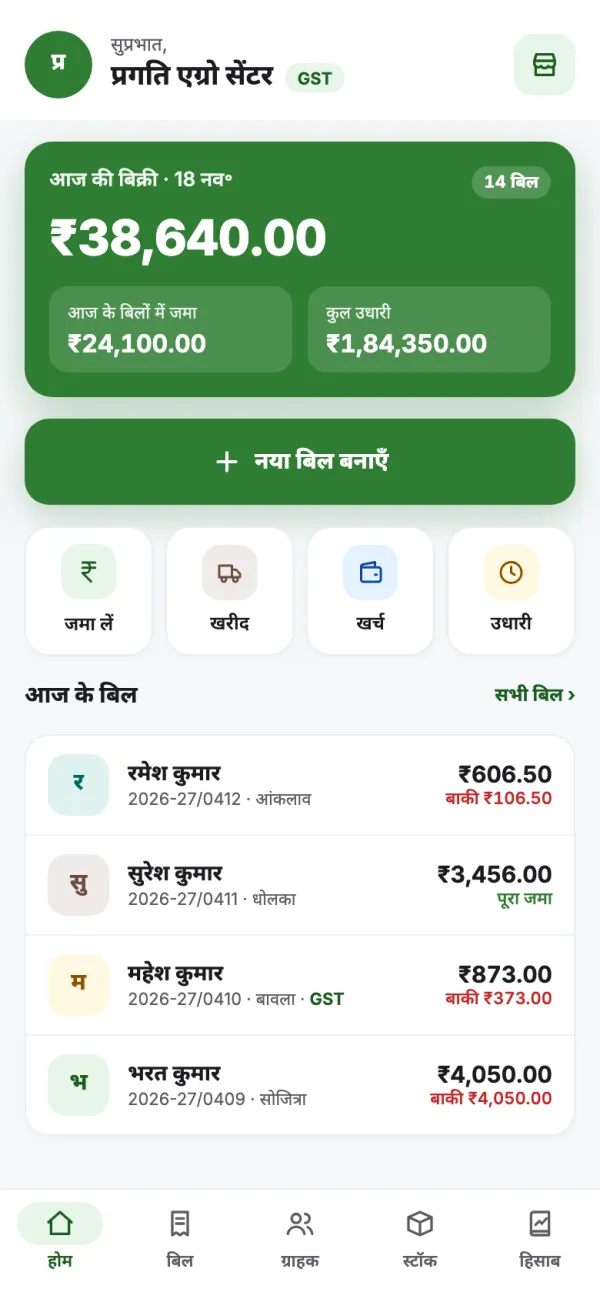
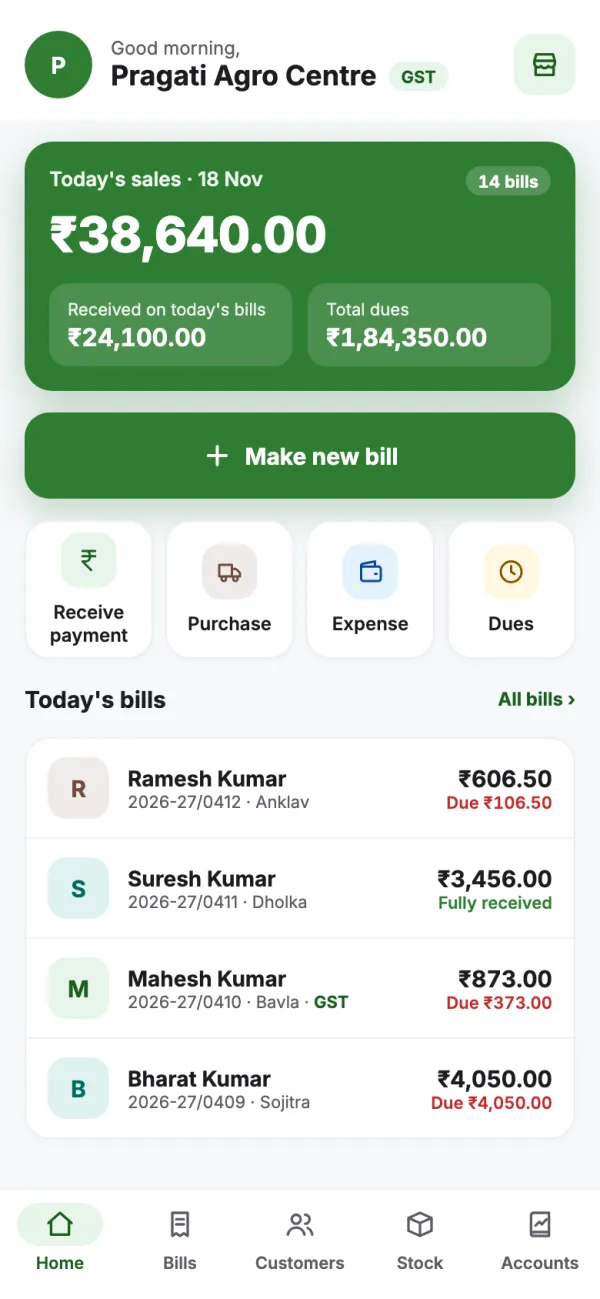
Open the app and you see today's sales, money received and total dues.
Choose the customer, add products, check quantity and price, and enter what the customer paid. Simple bill or GST bill, both work.
Send the bill PDF from your own WhatsApp. Or, if the customer agrees, send it directly from Krushi Saarthi's WhatsApp number and see whether the customer has opened it.
Open the customer's account to see their bills, payments and dues. Full payment or part, record whatever came in.
Enter the supplier's bill, quantities, batch and expiry. Save, and stock goes up. You also see what you paid and what is still to pay.
Stock changes by itself with every bill and purchase. Count your goods and, if the number differs, correct it with a reason.
Record expenses such as transport, rent and salaries. Choose a day or period to see sales, expenses, profit and dues.
ગુજરાતી · हिंदी · English
App, bill and reports: each can be in a different language.
The language you and your staff use the app in.
The bill and message your customer gets, in the language you choose.
Keep reports in a separate language, for example English for your CA or accountant.
Reports
Check sales, dues, stock, expenses and profit. Compare with last month and send reports straight to your CA or accountant.
Before you start
The app is new, so our own team helps every shop get started.
Price: we explain the plans clearly in the demo.
Book a free demoYour data is saved online and backed up on its own. Lose or change your phone, and your accounts are still there.
Log in with your mobile number and a one-time code sent by SMS.
Share reports as PDF or Excel (CSV) at any time, for yourself or your CA.
Stuck on something? Call us or send a WhatsApp message. We help in Gujarati, Hindi or English.
Questions
AgroSagar is for agro centres, krishi seva kendras and shops selling fertiliser, seeds, pesticides or cattle feed. You and your staff use it for bills, dues, stock, purchases and accounts.
Yes. You can make simple bills without a GSTIN. To make GST bills, add your shop's GSTIN. GST bills show HSN, GST rates, CGST and SGST.
Send the PDF from your own WhatsApp. Or, if the customer agrees, send it directly from Krushi Saarthi's WhatsApp Business number. Direct sending shows: sent, delivered, read.
The app works in Gujarati, Hindi and English. The bill PDF and WhatsApp message go in the language you choose. Reports can be in a separate language.
Yes. Keep batch numbers and expiry dates, check low or out-of-stock products, and see batches near expiry or already expired. Count your goods and, if the number differs, correct it with a reason.
Record the money received by cash, UPI, bank, cheque or another mode. It goes to the oldest bills first, or to the bills you choose. Anything extra stays as advance for the next bill.
Yes. Share reports as PDF or Excel (CSV), in your chosen report language. Reports include sales, dues, purchases, stock, profit, expenses, GST summary, day book and cash book.
Our team helps you bring in your products, opening stock and old customer dues, so you can start with the accounts you already have.
Your data is saved online and backed up automatically, so it stays safe even if you lose or change your phone. You log in with your mobile number and an OTP.
No. AgroSagar runs on your Android phone.
We explain the plans clearly in the demo. The demo is free, and you don't need to give any payment details.
Book a free demo and we help you set up. Then sign up in the app with your mobile number and an OTP, and send your shop details. We check them and usually switch the app on within one working day. After that, you can start billing on your Android phone.
Free demo · we call you
We are adding shops one by one, so each shop is set up properly. Leave your mobile number and our team will call and show you the app.
Namaste Ramesh Kumar, your bill 2026-27/0412 from Pragati Agro Centre: total ₹606.50, received ₹500.00, due ₹106.50. You can also view this bill in the Krushi Saarthi app.